Horse racing API with JavaScript and Node.js
Build a secure Node.js horse racing API integration with server-side fetch, timeout control, schema checks and browser-safe presentation from RacingAPI.net.
Published 30 Oct 2026Updated 30 Oct 20266 min read
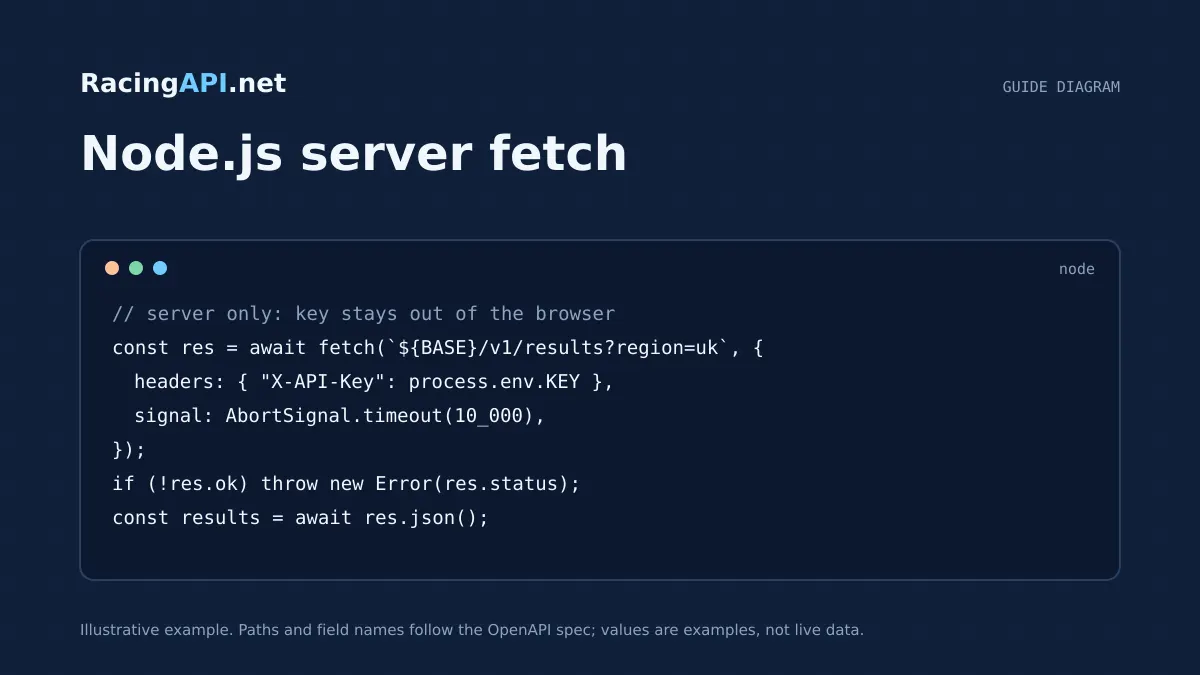
If you are building a horse racing app with JavaScript and Node.js, the safest pattern is to keep the RacingAPI.net request in your server code, then pass only the data your browser actually needs. That keeps your X-API-Key header server-side, avoids exposing credentials in client bundles, and gives you one place to handle timeouts, validation and caching decisions.
This guide focuses on a practical flow: read configuration from process.env, fetch a race or racecards endpoint from a Node server, cancel slow requests with AbortSignal, validate the returned shape before you trust it, and render a presentation view for the browser. It is written for developers who want a clean integration rather than a throwaway demo.
Try the documented request
Start with the combined UK and Ireland racecards. Reuse returned IDs and the selected feed date for related race, result, odds and runner requests.
# Set RACINGAPI_KEY on your server; use IDs returned by the feed.
# FEED_DATE must be YYYY-MM-DD in the feed context you want.
curl --fail-with-body --max-time 15 --get \
  "https://racingapi.net/v1/racecards" \
  -H "X-API-Key: ${RACINGAPI_KEY}" \
  --data-urlencode "region=uk" \
  --data-urlencode "date=${FEED_DATE}" \
  -H "Accept: application/json"
Run this on your server, not in public browser code. Replace the environment variables before running it. Respect the response cache headers and Retry-After; do not retry failed requests without a limit.
Keep the API key in Node, not in the browser
With RacingAPI.net, your customer request should go to your own Node server first. That server sends the outbound request to https://racingapi.net with the X-API-Key header. The browser should never receive the key, because anyone can inspect client-side JavaScript, network calls, and bundled environment values.
A good pattern is to make one small server route per UI need, such as a racecards page or a single race details page. The route can call /v1/racecards or /v1/races/{id}, strip away fields you do not want to expose, and then return a browser-friendly view model. This keeps your front end simple and prevents your key from becoming part of the presentation layer.
- Store the key in process.env on the server only.
- Send X-API-Key from Node, never from browser code.
- Return a reduced view model to the client rather than the raw upstream payload.
Load configuration from process.env with a narrow config object
Do not scatter environment reads throughout your codebase. Instead, create one configuration module that reads the API key, base URL and any timeout value once, then exports a plain object. This makes the integration easier to test and reduces the chance of accidentally logging secrets.
For example, your server can read the RacingAPI.net key from process.env, validate that it exists at startup, and fail fast if it is missing. That is preferable to discovering the problem only when a live request reaches the browser. Because access depends on an active subscription, a confirmed trial or approved access, startup checks help you separate configuration errors from account or entitlement issues.
- Read env vars once at startup.
- Throw early if the API key is missing.
- Keep secrets out of view templates, client bundles and debug logs.
Add AbortSignal timeout handling to every fetch
A racing app should not wait indefinitely for upstream data. In Node.js, use AbortSignal.timeout to set a clear upper bound on each fetch. If the upstream call takes too long, abort it and return a controlled error to your own app rather than letting requests pile up.
This matters whether you are loading racecards, results, odds or horse form. It also helps you distinguish between a slow network, a transient upstream problem and a user-facing failure. Keep in mind that source cadence and network response time are not the same thing: a timeout protects your own server, but it does not change how often the underlying feed updates.
- Use a short server timeout for page requests.
- Surface a graceful fallback when the request is aborted.
- Do not confuse timeout behaviour with a guaranteed update interval.
Validate response shapes before you render or persist them
Even when an upstream API is well structured, your application should still validate what comes back. Check for the fields you actually need and reject or quarantine anything unexpected. That is especially useful when you build presentation data from racecards, race details, results or horse profiles, because each endpoint has a different shape and not every optional field will be present.
For instance, a racecards response should contain the course, date, time and runners you expect, while a race result response should be checked for finishers and any available wager details. Keep the validation close to the fetch boundary, then map the verified data into a smaller internal object. That gives you predictable rendering and makes downstream bugs easier to diagnose.
- Validate required fields before using them.
- Treat missing optional values as normal, not exceptional.
- Map verified upstream data into a narrower internal model.
Serve a presentation view without exposing upstream details
Once your Node route has fetched and validated the data, send a presentation view to the browser rather than the raw upstream response. That can be server-rendered HTML or a JSON payload built specifically for the UI. In both cases, keep the browser focused on display concerns: meeting name, race time, runners, result position or any other approved fields you want to show.
This approach also helps you avoid accidental leakage of upstream headers, pricing details, key values or internal error text. If you want to show odds or horse form, use only the fields returned by RacingAPI.net and preserve the source values as supplied. Do not invent extra bookmaker coverage or pretend every race includes the same depth of data.
- Render a minimal view model for the page.
- Avoid sending raw headers or secrets to the browser.
- Keep presentation separate from upstream transport logic.
Handle limits, retries and error states in your own app
RacingAPI.net applies monthly and per-second limits by plan, so your Node layer should be ready for HTTP 429 responses. When that happens, use the Retry-After value if it is present and pause your next attempt accordingly. That is better than hammering the service and better for user experience than repeating failed requests in a tight loop.
For browser-facing pages, translate upstream errors into clear application states: loading, unavailable, retrying or no data. If you cache a response, make sure you do it deliberately and do not let user-specific information leak through shared caches. This is particularly important if you are serving a page that depends on an authenticated key or on a specific race and date selection.
- Respect HTTP 429 and Retry-After.
- Separate retry logic from view rendering.
- Use deliberate caching only where it will not expose user-specific data.
Key takeaways
- Keep the RacingAPI.net key in server-side Node code and send X-API-Key only from your backend.
- Use AbortSignal timeout and response validation together so your app fails cleanly instead of hanging or trusting malformed data.
- Return a browser-safe presentation model rather than exposing the raw upstream payload or any secret configuration.
Integration checklist
0/10 completeFrequently asked questions
Should my browser call RacingAPI.net directly?
No. Keep the request in your Node server and send only the rendered data or filtered JSON to the browser. That prevents your X-API-Key from being exposed in client-side code, browser dev tools or shared bundles.
What is the simplest Node pattern for RacingAPI.net?
Read the key from process.env, call https://racingapi.net from a server route, validate the response shape, then return a presentation model to the browser. That gives you one controlled place for auth, timeout handling and error mapping.
How should I time out slow requests?
Use AbortSignal.timeout in your Node fetch call so the request is cancelled after a defined period. Catch the abort condition and return a friendly application response instead of letting the browser wait indefinitely.
Do I need schema validation if the endpoint already has a published shape?
Yes. Published fields tell you what to expect, but your code should still verify the exact fields it needs before rendering or storing data. That reduces breakage when optional values are absent or when you are using different racing endpoints with different structures.
Can I cache racing data in my app?
Yes, but do it deliberately. Cache only what your UI needs, keep user-specific data out of shared caches, and remember that source update cadence is separate from network response time. If you cache, make sure your page still behaves correctly when data is stale or missing.
Sources and references
External references for background only; they do not endorse RacingAPI.net.
Related guides
All guides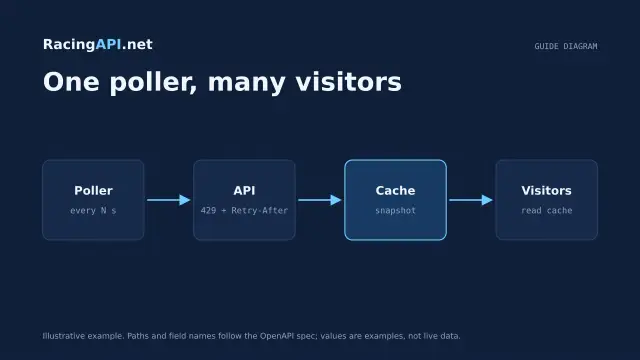 Development
Horse racing API caching and rate limits
Plan shared caching and backoff around RacingAPI.net so workers stay within one calendar-month budget and one per-second limit without noisy polling or duplicate calls.
 Development
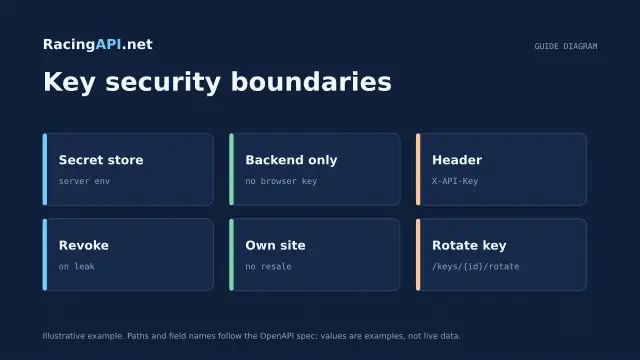
Horse racing API licensing and API-key security
Practical licensing and security guidance for RacingAPI.net: own-site display, no resale, server-side X-API-Key use, rotation, revocation and safe storage.
 Development
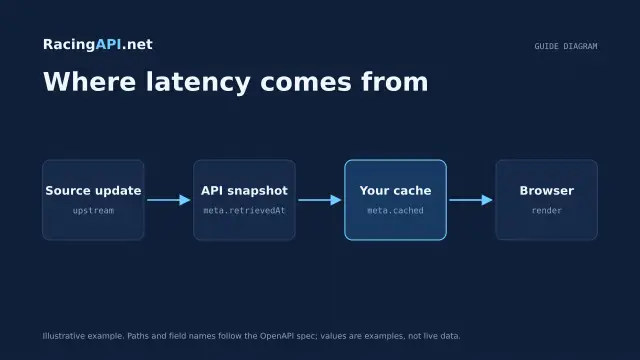
How fast is a horse racing API?
A practical guide to what “fast” means for RacingAPI.net: HTTP latency, source freshness, polling cadence, local caching and p50/p95 measurement.