How fast is a horse racing API?
A practical guide to what “fast” means for RacingAPI.net: HTTP latency, source freshness, polling cadence, local caching and p50/p95 measurement.
Published 30 Oct 2026Updated 30 Oct 20267 min read
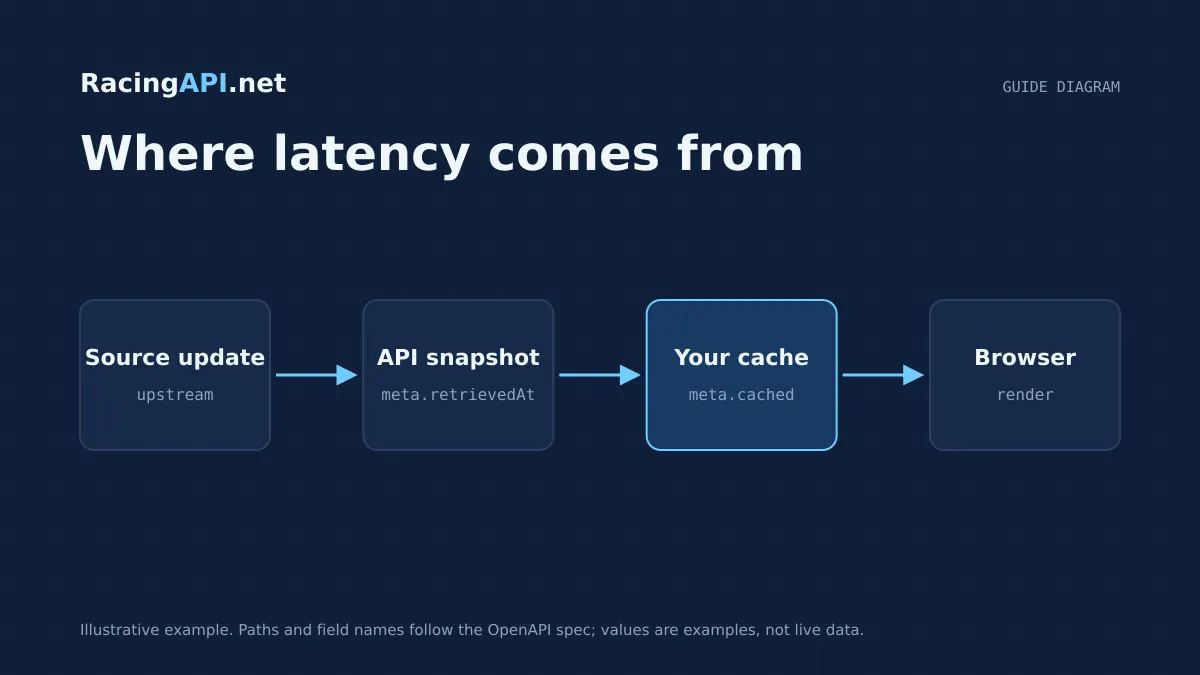
When people ask how fast a horse racing API is, they are usually asking four different questions at once: how long a request takes, how fresh the underlying racing data is, how often they should poll for updates, and how quickly their own interface can render the result. Those are related, but they are not the same measure of speed.
For RacingAPI.net, the right way to think about performance is to separate network response time from feed cadence and from your application’s own rendering path. That matters because a racecard that is quick to return may still reflect the latest available feed only as of its last update, while a dashboard may feel slow if your browser waits on unnecessary requests or redraws too much data at once.
Try the documented request
Start with the combined UK and Ireland racecards. Reuse returned IDs and the selected feed date for related race, result, odds and runner requests.
# Set RACINGAPI_KEY on your server; use IDs returned by the feed.
# FEED_DATE must be YYYY-MM-DD in the feed context you want.
curl --fail-with-body --max-time 15 --get \
  "https://racingapi.net/v1/racecards" \
  -H "X-API-Key: ${RACINGAPI_KEY}" \
  --data-urlencode "region=uk" \
  --data-urlencode "date=${FEED_DATE}" \
  -H "Accept: application/json"
Run this on your server, not in public browser code. Replace the environment variables before running it. Respect the response cache headers and Retry-After; do not retry failed requests without a limit.
1. HTTP latency is only the first layer of speed
HTTP latency is the time between your client sending a request to https://racingapi.net and receiving a response. It covers network travel, TLS negotiation if you are not reusing a connection, server processing, and any work needed to assemble the response. It does not tell you how recently the racing data changed, only how quickly the API answered your request.
In practical terms, you should treat latency as a transport and processing metric. A fast response helps your product feel responsive, but it does not guarantee that a late-declared runner, a revised racecard or a fresh price has already reached the source feed. For that reason, speed comparisons are only meaningful when you measure the same endpoint, the same region and the same time window.
- Measure request duration at the client, not just server processing time.
- Compare like with like: racecards, results and odds do not behave identically.
- Reuse connections where possible so you are not timing repeated setup costs.
2. Source freshness is about feed timing, not response time
Freshness describes how recently RacingAPI.net has received or updated the racing information it exposes. That is different from how quickly the API responds to your request. A low-latency response can still contain data that is only as fresh as the last successful feed update, because the API is serving the latest verified information it has, not inventing a live state on demand.
This distinction is especially important for racecards, results, odds and runner-specific form. The UK and Ireland region feed combines both countries in region=uk, and the content available in that feed depends on the current daily feed context. Horse form and connection statistics are supplied within that daily context and are not complete career archives. If you need the latest racing picture, you should design your app to respect feed freshness rather than assuming that every page load should trigger a new request.
- Freshness comes from the upstream racing feed, not from your browser refresh interval.
- A quicker API cannot make official race information arrive earlier than the source feed.
- Avoid presenting old cached data as if it were newly observed.
3. Polling frequency should match the endpoint and your plan
Polling is where many products become slower than they need to be. If you request the same racecard, odds or result endpoint too often, you increase load, risk hitting rate limits and often gain little extra freshness. RacingAPI.net plans are set out clearly: Developer allows 2 requests per second and 10,000 requests per calendar month, Professional allows 5 requests per second and 100,000 per month, and Enterprise allows 10 requests per second with unlimited monthly requests.
Monthly usage is counted across all of your keys and resets on the first day of each calendar month in UTC. If you exceed your per-second limit or monthly quota, the API returns HTTP 429 with Retry-After. That means your client should slow down rather than keep retrying aggressively. A sensible polling strategy is to ask how often the underlying racing information actually changes, then choose the lightest polling interval that still serves the user experience you need.
- Use slower polling for stable content such as racecards.
- Use tighter polling only where updates are genuinely expected.
- Respect Retry-After so you do not turn a brief limit into a longer outage for yourself.
4. Local caching can make the interface feel much faster
Local caching is usually the biggest speed win in a racing application. If your own server or browser stores a recent response, you avoid a network round trip for repeated views, which improves perceived speed and reduces unnecessary requests. MDN’s caching guidance is especially relevant here: cache responses deliberately, and do not let personalised data leak through shared caches.
For RacingAPI.net, that means you should cache carefully at the right layer. A racecard for a specific region and date may be a good candidate for short-lived caching in your own app, while user-specific views should not be placed in a shared cache unless you have explicitly separated them. The goal is not to hide live changes, but to avoid refetching the same data on every screen repaint or tab switch.
- Cache repeated racecard and course data in your application state.
- Keep personalised or key-specific responses out of shared caches.
- Use conditional or time-based refresh logic where appropriate in your own stack.
5. p50 and p95 tell you more than a single speed claim
If you want a realistic answer to “how fast is it?”, measure both p50 and p95. p50 is the median request time: half your calls are faster and half slower. p95 shows the slower tail, which is often what users notice when a page occasionally feels sluggish. A service that looks fine at p50 can still feel unreliable if p95 drifts upward during busy periods or from a distant client location.
You should measure per endpoint and per usage pattern. A race search, a racecard lookup and a results request may not share the same distribution, and caching can change those numbers materially. Record the full path your users actually take, not just a single synthetic call, and separate first-load timings from repeat-load timings so you can see the benefit of local caching clearly.
- Track p50 for the typical user experience.
- Track p95 for the slowest common experience.
- Measure cold-cache and warm-cache cases separately.
6. Rendering speed depends on the client, not just the API
Once the API response arrives, your own application decides how quickly the user sees something useful. Rendering speed includes JSON parsing, state updates, layout, charting, table work and image loading. A fast API response can still feel slow if your frontend blocks on too much synchronous work or redraws a large page every time a small field changes.
This is especially relevant when combining endpoints. You might fetch a racecard, then fetch race details, then fetch odds, then fetch a horse profile. If you render after each request without batching or caching, the page may appear to flicker or stutter even though each individual API call was reasonable. The user experience improves when you separate data arrival from UI repaint and only update the parts of the screen that have actually changed.
- Parse and render incrementally where possible.
- Avoid reloading the whole page for one updated field.
- Treat images and odds updates as separate concerns from core text rendering.
7. The best benchmark is the one your own app can sustain
There is no universal millisecond guarantee for a racing API, and RacingAPI.net does not publish a speed SLA. The meaningful benchmark is the one you can observe in your own environment with your own users, endpoints and caching rules. If your app reads mostly racecards and course data, your experience will differ from a live in-race dashboard that polls odds more aggressively.
A good internal test plan is straightforward: measure first-load latency, repeat-load latency, p50 and p95, then repeat those tests with your local cache enabled and disabled. That gives you a proper before-and-after comparison and shows whether your bottleneck is network time, source freshness, polling pressure or frontend work. If you need to know whether a slower page is the API or your own code, that separation is the fastest route to an honest answer.
Key takeaways
- Separate HTTP latency, feed freshness, polling cadence and rendering speed before you judge performance.
- Use local caching and selective refreshes to reduce repeat requests and improve perceived speed.
- Benchmark RacingAPI.net with p50 and p95 in your own app, because there is no universal millisecond SLA.
Request-budget planner
Estimate calls from one shared server-side poller. Browser visitors should read your cache, not the API.
- Calls per day
- 1,800
- Calls per month
- 54,000
- Average rate
- 0.05 req/s
An estimate only. The average rate applies during active hours, not to bursts: space requests evenly to respect your per-second limit. Inputs are bounded to 1–86,400 seconds, 0–24 hours, 0–100 endpoints and 0–31 days. This excludes retries, detail fetches and other workers, and does not imply data freshness or plan entitlement. Compare allowances on the pricing page.
Frequently asked questions
Is RacingAPI.net fast enough for a live racing dashboard?
It can be, but the right question is which endpoints you poll and how often. A dashboard that reuses cached racecards and only refreshes changing views will feel much faster than one that refetches everything on every interval.
What should I measure: p50, p95 or average latency?
Measure p50 and p95. p50 shows the typical request, while p95 shows the slower tail that usually causes user complaints. Averages can hide those slow outliers, especially if some calls are cached and others are not.
Does a faster API mean fresher racing data?
No. HTTP latency only tells you how quickly the API replied. Freshness depends on the underlying feed timing, so a quick response can still reflect the latest verified data available at that moment rather than a newly changed source event.
How should I handle rate limits when polling?
Keep polling aligned to the endpoint’s real update needs, stay within your plan’s requests-per-second limit and monthly quota, and honour HTTP 429 with Retry-After. If you are hitting limits, the correct fix is usually less polling or more caching, not faster retries.
What is the fastest way to make my racing app feel quicker?
Cache repeated responses locally, avoid re-rendering the whole page for small updates, and separate first-load timing from repeat-load timing. In most applications, perceived speed improves more from better client-side reuse than from chasing tiny network gains.
Sources and references
External references for background only; they do not endorse RacingAPI.net.
Related guides
All guides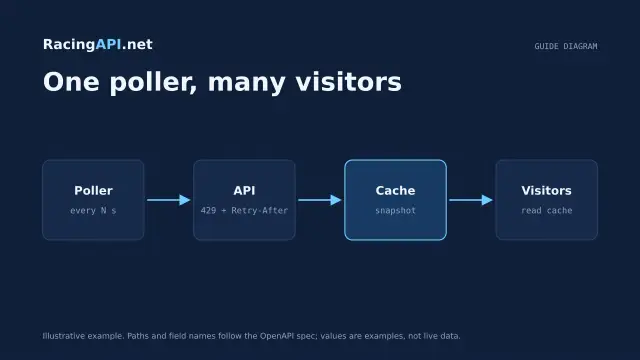 Development
Horse racing API caching and rate limits
Plan shared caching and backoff around RacingAPI.net so workers stay within one calendar-month budget and one per-second limit without noisy polling or duplicate calls.
 Development
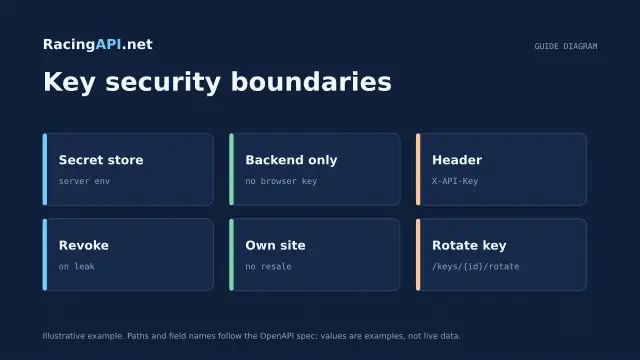
Horse racing API licensing and API-key security
Practical licensing and security guidance for RacingAPI.net: own-site display, no resale, server-side X-API-Key use, rotation, revocation and safe storage.
 Development
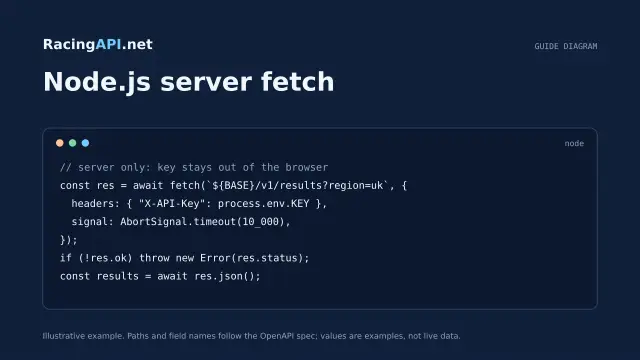
Horse racing API with JavaScript and Node.js
Build a secure Node.js horse racing API integration with server-side fetch, timeout control, schema checks and browser-safe presentation from RacingAPI.net.