What is a horse racing API?
A beginner’s guide to horse racing APIs: requests, authentication, JSON responses, racing hierarchy, and how RacingAPI.net fits into a website journey.
Published 30 Oct 2026Updated 30 Oct 20266 min read
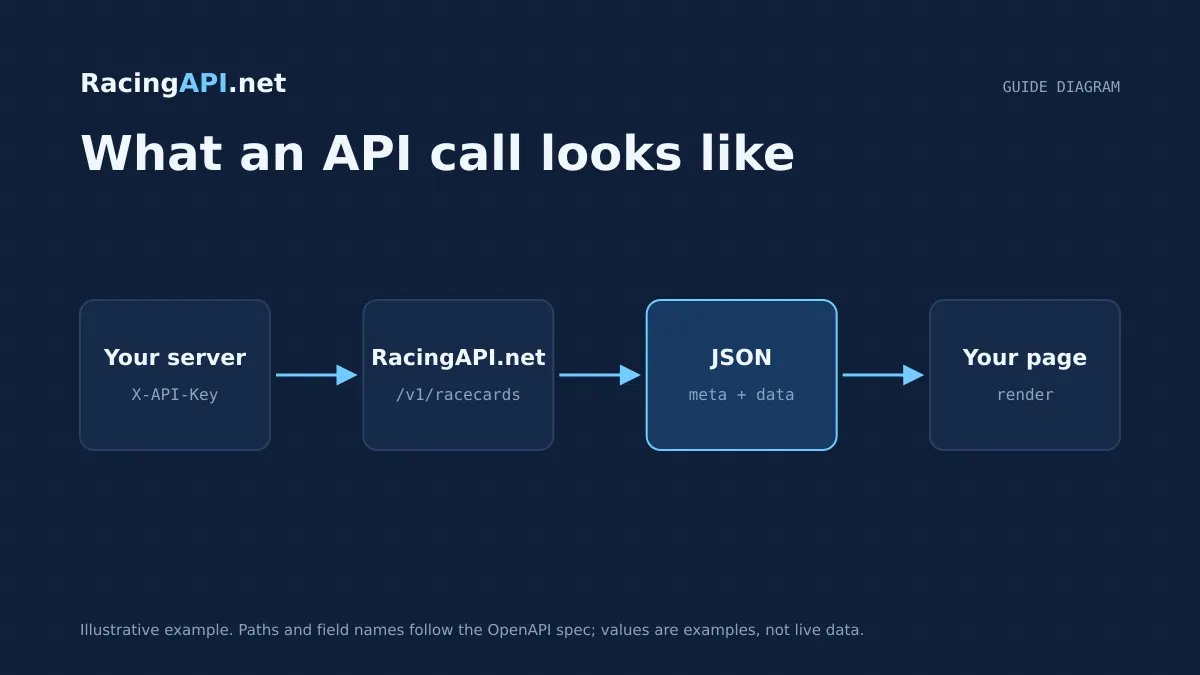
A horse racing API is a way for one system to ask another for structured racing data, then use that data inside a website, app or internal tool. Instead of copying pages by hand, your server sends a request to RacingAPI.net and receives racing information in a format software can read immediately. For beginners, the important idea is simple: the API is the data layer, not the finished website experience.
That distinction matters because racing products are often confused with widgets and bookmaker sites. A feed gives you data to build with, a widget gives you a prebuilt embedded component, and a bookmaker site is there to take bets. RacingAPI.net is a feed you integrate into your own server-side workflow, using an API key and returning JSON that your application can shape into the exact journey you want.
Try the documented request
Start with the combined UK and Ireland racecards. Reuse returned IDs and the selected feed date for related race, result, odds and runner requests.
# Set RACINGAPI_KEY on your server; use IDs returned by the feed.
# FEED_DATE must be YYYY-MM-DD in the feed context you want.
curl --fail-with-body --max-time 15 --get \
  "https://racingapi.net/v1/racecards" \
  -H "X-API-Key: ${RACINGAPI_KEY}" \
  --data-urlencode "region=uk" \
  --data-urlencode "date=${FEED_DATE}" \
  -H "Accept: application/json"
Run this on your server, not in public browser code. Replace the environment variables before running it. Respect the response cache headers and Retry-After; do not retry failed requests without a limit.
What a horse racing API actually does
At its simplest, a horse racing API is a contract between your software and RacingAPI.net. You ask for a specific resource, such as racecards, race details, results or horse profiles, and the service returns the matching data in a predictable structure. That structure is what makes APIs useful: your code can parse fields, store them, display them, or combine them with your own layout and rules.
For a beginner, it helps to think of an API as a controlled doorway into a racing database rather than a website you browse. You do not ‘visit’ the API in the same way you visit a racecard page. You request a resource, identify yourself with an API key, and receive data intended for machine use. From there, your application decides how to present it.
Requests, authentication and server-side access
A request is the message your application sends to the API. With RacingAPI.net, customers call https://racingapi.net and include their key in the X-API-Key header. That header is how the server knows which account is making the request and whether access should be allowed. The key is stored server side, which means it should not be exposed in front-end code or shared with other developers.
This server-side model is important for security and quota control. It lets you keep credentials away from the browser, apply your own business logic, and centralise all usage through one controlled integration point. It also means limits are enforced across all of your keys together: requests count against your calendar-month allowance in UTC, and per-second throttling applies across the account rather than only one individual key.
- Use X-API-Key on server-side requests only.
- Do not place the key in client-side JavaScript or public pages.
- Monthly usage resets on the first day of each calendar month in UTC.
- Per-second limits are enforced across the account, not per key.
How JSON responses fit into your app
Most API responses arrive as JSON, which is a lightweight text format for structured data. JSON is easy for programs to read because it uses names and values instead of human-facing page layout. For example, a racecard response may include a race id, course, date, time, distance, going and runners. Your code can then display those fields in the order and style you want.
The key advantage for developers is consistency. Once you know the shape of a response, your code can render a race page, update a database record or generate an alert without needing to scrape page layout. RacingAPI.net publishes supported endpoint fields in the catalogue, and for full request schemas you should use the API reference rather than guessing new parameters or fields.
Understanding the racing hierarchy
Racing data makes more sense once you understand the hierarchy. A course hosts one or more races. Each race belongs to a date and meeting, and each race has declared runners. Those runners may have horse details, connections and available form statistics. This hierarchy helps you decide which endpoint to use first: course-level data for navigation, race-level data for detail, and horse-level data when the user drills down into a runner.
If you are building a racing website, hierarchy is what turns isolated records into a journey. A user might land on today’s racecard, choose a course, open one race, inspect a runner, then look at that runner’s form or connections. RacingAPI.net is designed to support that path with daily-feed context, not a complete career archive. That means the data is suited to current or recently supplied racing views rather than a full historical biography of every participant.
- Course: the venue or racecourse.
- Race: the individual contest at that course.
- Runner: a horse declared for that race.
- Horse profile: selected details for a runner in the feed.
- Connections: the relevant jockey and trainer data supplied in the feed context.
Feed, widget and bookmaker: three different roles
A feed is raw or structured data that your own application consumes. That is what RacingAPI.net provides. You use the feed to power pages, dashboards, search tools or internal workflows. Because you control the front end, you also control the wording, design and navigation, while still relying on the API for the racing facts underneath.
A widget is different because it is a ready-made component, usually embedded as a block on a page. Widgets reduce development work, but they also limit layout and behaviour to whatever the widget provides. A bookmaker site is a separate commercial environment focused on betting and price display. It may show prices and race information, but it is not the same thing as a general-purpose racing feed, and you should not treat bookmaker pages as a substitute for your own data integration.
A typical racing website journey
A good beginner example is a simple race website journey. First, your server requests the daily racecards feed from RacingAPI.net. The homepage can then list courses, times and race summaries. When a user clicks a race, your application loads the race details endpoint for that race id and shows the runners, distance and other supplied details.
From there, the user may open a horse profile or horse form statistics page. That is where the daily-feed limitation becomes practical: you are not trying to present a full lifetime dossier, only the form and connection context that the feed supplies for that day’s racing. If you need a result later, your site can switch to the results endpoints and update the same journey with finishing positions and available result details.
How to think about limits and data quality
Beginners often assume an API is just a live mirror of a website, but the real skill is understanding boundaries. RacingAPI.net provides UK and Ireland through the combined region=uk feed, and that region is the correct way to request both countries together. Historical depth and completeness are not guaranteed, so it is best to design your interface around the fields present in the feed rather than assuming every record will have every possible detail.
It is also important to distinguish data types. Forecast weather from the racecourse weather endpoint is a course-location forecast, separate from official going. Silks are racing-colour PNGs, not photographs. Odds are observed bookmaker prices preserved as received, not guaranteed coverage of every bookmaker or every market. Building with these distinctions in mind keeps your product honest and helps you avoid presenting one kind of racing signal as another.
Key takeaways
- A horse racing API is a server-to-server data source that returns structured racing information your application can build into its own journey.
- RacingAPI.net uses server-side authentication with an X-API-Key header, JSON responses and UK-and-Ireland coverage through region=uk.
- Feed, widget and bookmaker are different concepts: use the feed for your own product, and design around the racing hierarchy rather than a copied page layout.
Feed-family explorer
What each family covers, with links to the documentation that defines it. Plan availability is listed on the pricing page.
Racecards
All plans- UK and Irish meetings, races and declared runners
- Supplied identifiers for joining detail requests
- Going, distance and race context as supplied
Frequently asked questions
What is the simplest definition of a horse racing API?
It is a programmatic way to request racing data from a server and receive structured results, usually as JSON, so your own site or app can display and use the data.
Do I use a horse racing API directly in the browser?
No. With RacingAPI.net, requests should be made server side using your X-API-Key header. That keeps the key private and lets you control usage and presentation safely.
How is a feed different from a widget?
A feed gives you data to build with, while a widget is a prebuilt component you embed. With a feed, you control the journey and design; with a widget, you accept the widget’s layout and behaviour.
Is bookmaker data the same as an API feed?
Not really. Bookmaker pages are built for betting and price display, whereas a racing feed is a reusable data source for your own product. RacingAPI.net returns preserved price strings where available, but it is still a feed, not a bookmaker site.
What does the racing hierarchy help me build?
It helps you structure pages from course to race to runner and then into horse details, form or results. That hierarchy is the backbone of most racing websites and dashboards.
Related guides
All guides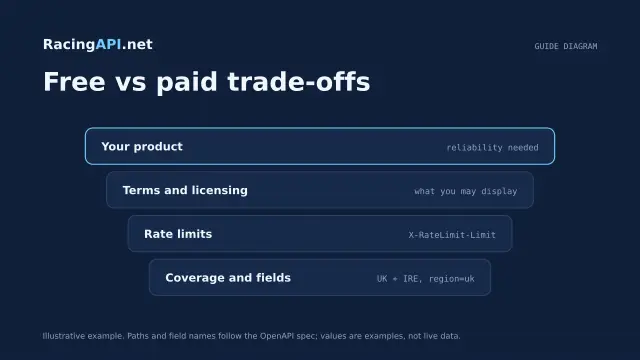 Getting started
Free horse racing API: what developers should know
Learn how RacingAPI.net’s seven-day card-required trial works, what “free” really means, and how to judge an integration before your monthly plan renews.
 Getting started
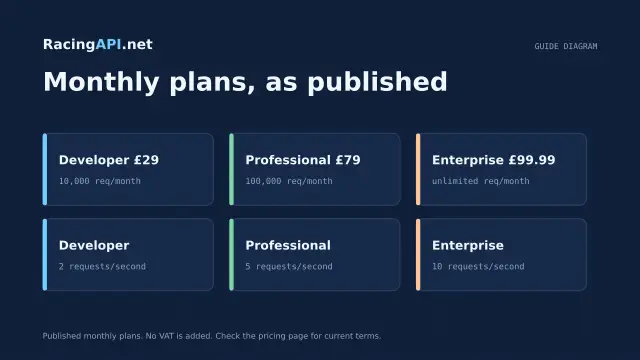
Horse racing API pricing: choosing your monthly plan
Compare RacingAPI.net monthly plans by request volume and rate limits, and choose the right tier for racecards, results, odds and Enterprise tips.
 Getting started
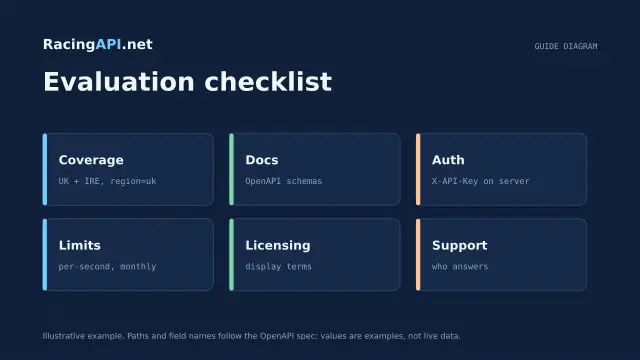
How to choose the best horse racing API
A practical framework for choosing a horse racing API: coverage, authenticated samples, schema stability, freshness, permissions, and real integration cost.