Horse racing API pricing: choosing your monthly plan
Compare RacingAPI.net monthly plans by request volume and rate limits, and choose the right tier for racecards, results, odds and Enterprise tips.
Published 30 Oct 2026Updated 30 Oct 20267 min read
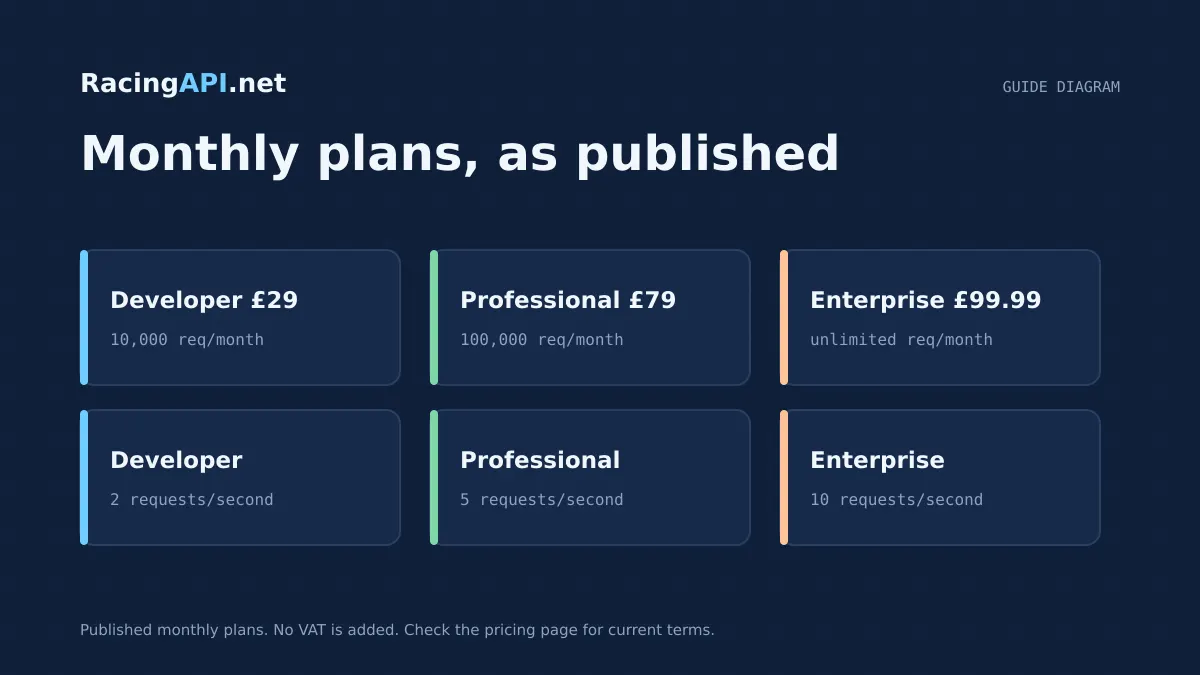
Choosing a racing API plan is mostly a capacity question: how many requests you will make in a calendar month, and how quickly you need to make them. RacingAPI.net keeps the decision simple by pricing around real usage rather than bundling in vague extras. The right tier depends on whether you are building a small proof of concept, a busy production app, or a larger product that needs higher throughput and live support.
There are three active monthly plans. Developer costs £29 and includes 10,000 requests per calendar month at 2 requests per second. Professional costs £79 for 100,000 requests per calendar month at 5 requests per second. Enterprise costs £99.99, includes unlimited monthly requests at 10 requests per second, and adds live support plus Enterprise-only AI-assisted features.
Try the documented request
Start with the combined UK and Ireland racecards. Reuse returned IDs and the selected feed date for related race, result, odds and runner requests.
# Set RACINGAPI_KEY on your server; use IDs returned by the feed.
# FEED_DATE must be YYYY-MM-DD in the feed context you want.
curl --fail-with-body --max-time 15 --get \
  "https://racingapi.net/v1/racecards" \
  -H "X-API-Key: ${RACINGAPI_KEY}" \
  --data-urlencode "region=uk" \
  --data-urlencode "date=${FEED_DATE}" \
  -H "Accept: application/json"
Run this on your server, not in public browser code. Replace the environment variables before running it. Respect the response cache headers and Retry-After; do not retry failed requests without a limit.
Start with monthly volume, not headline price
The first decision is how many requests your product will actually consume in a calendar month. That matters more than the sticker price, because a cheaper plan can become expensive if you outgrow it and need to redesign your usage pattern. With RacingAPI.net, monthly quota resets on the first day of each calendar month in UTC, and usage is aggregated across your keys.
If you are building a simple site that checks racecards, results or horse profiles a few times per user session, Developer is often enough. If your app refreshes several screens for multiple users throughout the day, Professional gives much more headroom. Enterprise makes sense when your monthly usage is hard to predict, or when you want to avoid counting requests so closely.
A practical way to estimate volume is to list the API calls behind one user journey, then multiply by your expected daily traffic. Include background refreshes as well as visible actions. A dashboard that loads racecards, odds and a race detail view can consume more requests than a quick mock-up suggests.
- Developer: £29, 10,000 requests per calendar month, 2 requests per second
- Professional: £79, 100,000 requests per calendar month, 5 requests per second
- Enterprise: £99.99, unlimited monthly requests, 10 requests per second, live support
Match your rate limit to how your app behaves
Throughput is separate from monthly quota. A plan with plenty of monthly volume can still be too restrictive if your application needs bursts of activity. RacingAPI.net enforces per-second limits across your keys, so a busy app that fans out several calls at once must stay within the tier’s rate cap.
The Developer plan allows 2 requests per second. That is fine for lightweight integrations, internal tools and demos where requests are naturally spaced apart. Professional raises the ceiling to 5 requests per second, which is more comfortable for production pages that load multiple racing views or for modest parallel processing. Enterprise increases this to 10 requests per second.
Do not treat the highest plan as a substitute for good request design. Batch where possible, avoid needless refreshes, and cache non-personalised responses carefully on your side. That reduces pressure on your rate limit and leaves more room for the calls that really need live data.
- 2 requests per second suits low-traffic tools and prototypes
- 5 requests per second fits many production applications
- 10 requests per second helps when several users or workflows are active at once
When the Developer plan is the right fit
Developer is the smallest paid plan and is priced for a narrow, controlled workload. At £29 a month, it gives you 10,000 requests and 2 requests per second, which is enough for development, testing and smaller public apps that do not hammer the feed. It also includes enabled core racing endpoints, API keys and usage reporting, and email support.
This tier works well if you are validating a product idea, running a companion tool for a niche audience, or building an internal page that pulls a limited set of racecards and results. It is also a sensible choice when your usage is easy to predict and you prefer to keep monthly spend low while you learn how users interact with the data.
What you should not do is assume Developer will absorb rapid polling or a large audience. If you expect multiple users to refresh odds, race details and horse pages all day, the 10,000-request ceiling can disappear faster than you think. In that case, Professional is usually the safer starting point.
- Best for prototypes, small internal tools and limited public usage
- Useful when you want predictable spend and modest traffic
- Not ideal for broad user bases, heavy polling or multi-step dashboards
Why Professional suits many production apps
Professional costs £79 and increases the allowance to 100,000 requests per calendar month with a 5 requests per second rate limit. For many teams, that is the balance point between affordability and operational comfort. It gives you enough headroom to serve real users, refresh views during the day and avoid having to scrutinise every API call.
This tier is a good fit for products that combine racecards, race details, results, odds and horse pages in a single user experience. It is also useful if you are serving several customers or a growing audience, because the monthly quota is ten times the Developer allowance and the rate limit is more forgiving.
Professional still benefits from disciplined usage. Keep your own cache policy sensible, request only the endpoints you need, and remember that the monthly counter is shared across all keys on the account. If your product is becoming central to your workflow, the extra room in Professional often postpones the need to move up again.
- £79 per month for 100,000 requests
- 5 requests per second for more comfortable production use
- Good middle ground for growing applications and multi-page racing products
When Enterprise is worth the extra cost
Enterprise is priced at £99.99 and is designed for higher throughput and less predictable demand. It includes unlimited monthly requests at 10 requests per second, plus live support. It also unlocks Enterprise-only AI-assisted tips, including saved selections and two-sentence explanations generated ahead of requests.
The unlimited monthly quota changes the way you plan. Instead of counting every request against a fixed ceiling, you can focus on building the product and managing rate behaviour. That is especially helpful if your usage varies with race days, campaign traffic or internal workflows that are difficult to forecast in advance.
Enterprise is not simply a volume tier. It is also the only plan with the live AI-assisted tips features, so if those are part of your product, the choice is already made. Even then, you should still think about request shape, because 10 requests per second is higher than Professional but not limitless.
- £99.99 monthly with unlimited requests
- 10 requests per second for larger bursts of activity
- Includes live support and Enterprise-only AI-assisted tips
How to choose the plan without overbuying
A good pricing decision starts with measurement, not guesswork. Count the requests behind a typical user journey, then estimate daily and monthly usage using realistic traffic rather than your busiest day. If your app is mostly read-only and your users visit once or twice, Developer may be enough. If you refresh data repeatedly or serve multiple customers, Professional is often the better value.
Upgrade when rate pressure, not just monthly count, becomes the problem. A plan can appear affordable until you need to slow down your own interface to stay under 2 requests per second. Conversely, if your monthly count is near six figures but your request bursts are moderate, Professional may still work well. Enterprise becomes compelling when both scale and simplicity matter.
Remember that access depends on an active subscription or a completed card-required seven-day trial checkout. There is no permanent free tier, so the main choice is between tiers that match your actual workload. The best plan is the one that keeps your app responsive without forcing you to redesign it around the tariff.
- Estimate requests per user journey before choosing a tier
- Watch both monthly quota and per-second rate limit
- Pick the lowest plan that comfortably handles your real traffic
Key takeaways
- Choose by both monthly volume and requests per second, because RacingAPI.net enforces each limit separately.
- Developer is best for controlled usage, Professional is the practical production middle ground, and Enterprise suits larger or unpredictable demand.
- Enterprise is the only plan with live support and live AI-assisted tips, while all paid plans retain the core racing endpoints and usage reporting.
Request-budget planner
Estimate calls from one shared server-side poller. Browser visitors should read your cache, not the API.
- Calls per day
- 1,800
- Calls per month
- 54,000
- Average rate
- 0.05 req/s
An estimate only. The average rate applies during active hours, not to bursts: space requests evenly to respect your per-second limit. Inputs are bounded to 1–86,400 seconds, 0–24 hours, 0–100 endpoints and 0–31 days. This excludes retries, detail fetches and other workers, and does not imply data freshness or plan entitlement. Compare allowances on the pricing page.
Frequently asked questions
What is the cheapest RacingAPI.net plan?
The Developer plan is £29 per month. It includes 10,000 requests per calendar month and a 2 requests per second rate limit, which suits smaller tools, prototypes and tightly controlled workloads.
How does Professional differ from Developer?
Professional costs £79 per month and raises the allowance to 100,000 requests per calendar month with a 5 requests per second limit. It is aimed at products that need more headroom for production traffic and multi-step racing views.
What does Enterprise add beyond unlimited monthly requests?
Enterprise is £99.99 per month, includes unlimited monthly requests and a 10 requests per second rate limit, and adds live support. It also unlocks Enterprise-only live AI-assisted tips with saved explanations.
Are monthly quotas reset by plan changes?
No. Monthly usage resets on the first day of each calendar month in UTC, and changing plans does not reset usage. Limits also aggregate across all keys on the account, so usage planning should be based on the whole workload.
Do I need a paid subscription before I can use the API?
You need either an active subscription, a confirmed seven-day trial checkout with a card, or explicit administrator-approved access. Signup alone does not unlock the feeds, and there is no permanent free tier.
Sources and references
External references for background only; they do not endorse RacingAPI.net.
Related guides
All guides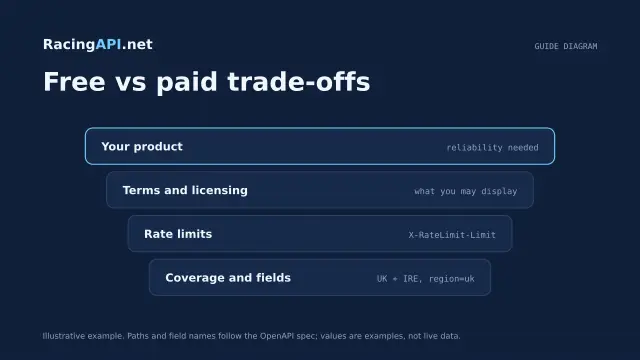 Getting started
Free horse racing API: what developers should know
Learn how RacingAPI.net’s seven-day card-required trial works, what “free” really means, and how to judge an integration before your monthly plan renews.
 Getting started
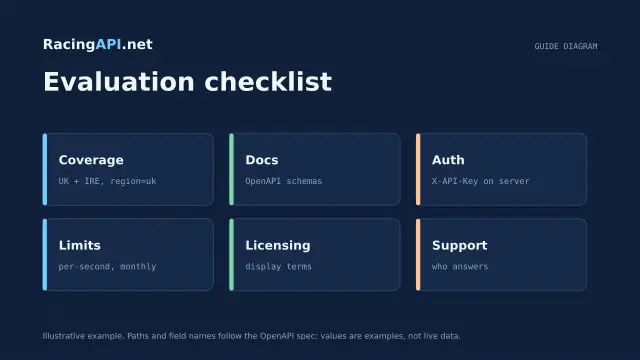
How to choose the best horse racing API
A practical framework for choosing a horse racing API: coverage, authenticated samples, schema stability, freshness, permissions, and real integration cost.
 Getting started
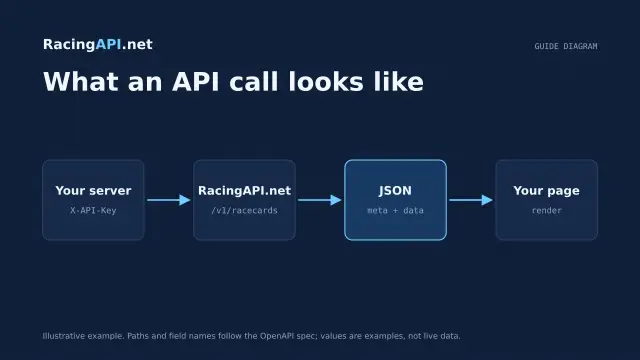
What is a horse racing API?
A beginner’s guide to horse racing APIs: requests, authentication, JSON responses, racing hierarchy, and how RacingAPI.net fits into a website journey.