Using a horse racing API with Python
Build a reliable server-side Python client for RacingAPI.net, handling auth, timeouts, retries, JSON parsing, cached responses and stable IDs cleanly.
Published 30 Oct 2026Updated 30 Oct 20268 min read
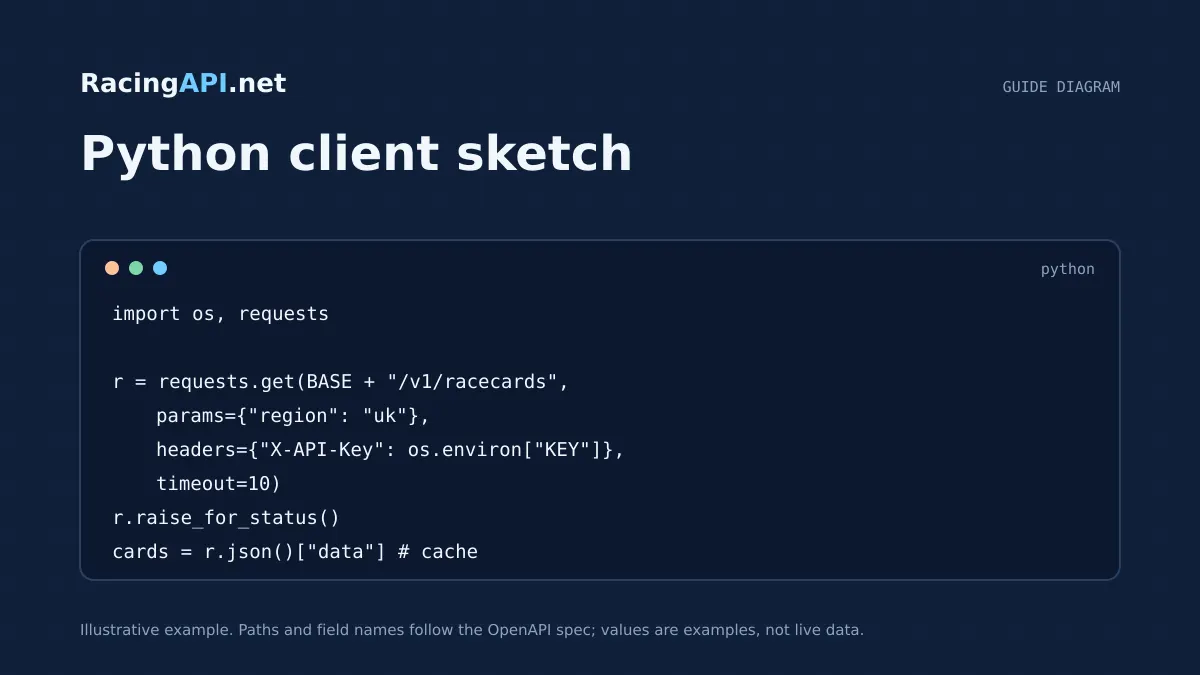
If you are wiring RacingAPI.net into a Python service, the main job is not just making requests: it is keeping them predictable. That means sending the API key server side, setting sensible timeouts, checking status codes properly, and parsing the JSON in a way that preserves the IDs you will need later for race details, runner profiles and results.
This guide focuses on practical server-side integration with the live REST feeds only. It uses the endpoints published in the catalogue, keeps examples to real request paths, and shows how to think about caching, retries and monthly request budgets without assuming a custom SDK or undocumented fields.
Try the documented request
Start with the combined UK and Ireland racecards. Reuse returned IDs and the selected feed date for related race, result, odds and runner requests.
# Set RACINGAPI_KEY on your server; use IDs returned by the feed.
# FEED_DATE must be YYYY-MM-DD in the feed context you want.
curl --fail-with-body --max-time 15 --get \
  "https://racingapi.net/v1/racecards" \
  -H "X-API-Key: ${RACINGAPI_KEY}" \
  --data-urlencode "region=uk" \
  --data-urlencode "date=${FEED_DATE}" \
  -H "Accept: application/json"
Run this on your server, not in public browser code. Replace the environment variables before running it. Respect the response cache headers and Retry-After; do not retry failed requests without a limit.
1. Authenticate from Python on the server side
RacingAPI.net requests should be made from your server, not from browser code, because the customer’s API key stays server side. In Python, that usually means loading the key from an environment variable and attaching it to every request as the X-API-Key header. Keep the value out of logs, templates and client-side bundles.
Use a single base URL, https://racingapi.net, and build requests from that. A clear pattern is to centralise the header construction in one function so every call uses the same authentication and a consistent User-Agent for your own debugging. That makes it easier to rotate keys later and to keep key handling separate from business logic.
For access control, remember that API use depends on an active subscription, a confirmed seven-day trial checkout, or administrator-approved access. Your Python client should treat 401 or 403 responses as an authentication or entitlement issue, not as a temporary network fault. That distinction matters when you decide whether to retry or to stop immediately.
- Load the API key from server-side configuration, not source control.
- Send X-API-Key on every request.
- Treat access failures separately from network failures.
2. Set timeouts and handle HTTP status codes deliberately
A Python client needs a timeout on every request. Without one, a temporary network stall can tie up worker threads and make a small API issue look like a full application outage. Use a connect-and-read timeout policy that fits your application’s own responsiveness target, then keep the request short enough that your API layer can fail fast and recover cleanly.
Handle response codes by class, not by guesswork. A 200 means you can parse the body. A 429 means you have exceeded either your per-second rate limit or your monthly quota, and the response may include Retry-After. Use that header as the delay before the next retry, and remember that monthly usage resets at the first day of the calendar month in UTC. A 5xx response is a server-side problem or transient upstream issue, so a limited retry budget can make sense.
Do not keep retrying on 4xx responses other than 429. A 422 can indicate an invalid region or unsupported request shape, and retrying the same request will not fix it. If you get repeated 429s, your application should back off and surface a clear operational message rather than hammering the service.
- Always set a request timeout.
- Retry 429 and selected 5xx responses only.
- Read Retry-After when present instead of inventing a delay.
3. Parse JSON safely and preserve IDs end to end
The response bodies are ordinary JSON, so the main discipline is to keep identifiers intact. For example, racecards from /v1/racecards include race and runner identifiers that you should store unchanged, because later calls to /v1/races/{id} or /v1/results/{raceId} depend on those exact values. Do not remodel IDs into display labels or hash them away unless you keep the original value separately.
When you parse JSON in Python, read the object exactly as delivered, then map only the fields your application needs. This avoids breaking your code if the response contains additional data you are not using yet. It also helps with race, horse and results workflows where the same entity may appear in more than one feed. Preserve the provider’s IDs as primary references and keep your own internal database keys separate.
A good pattern is to store the raw JSON for audit or replay, then derive a normalised record for application use. That way, if your UI needs the runner name and your reporting layer needs the horseId, both are available without another API call. This is especially useful when you combine racecards, horse profiles and results for a single meeting.
- Keep provider IDs unchanged.
- Store raw JSON alongside any normalised records.
- Use IDs, not display names, for follow-up requests.
4. Cache carefully and do not reuse personalised data incorrectly
Caching can reduce round trips and help you stay inside your calendar-month quota, but it should be deliberate. The safe principle is to cache shared public racing data that is not specific to an individual user, while avoiding accidental reuse of personalised or account-specific information. That means your application should separate general race data from anything tied to a customer session or private preference.
For a Python service, an in-process cache can work for short-lived jobs, while a shared cache may suit a web application. Whatever you choose, cache by the exact request identity, including the region and any date context you are using. Because UK and Ireland are combined under region=uk, your cache key should reflect that single regional feed rather than assuming separate country codes.
Remember that forecast weather from /v1/racecourses/{id}/weather is a forecast product with its own source attribution and expiry behaviour. Do not cache it as if it were official going, and do not strip the attribution returned by the API. If your application displays weather, keep the source data and expiry semantics with the cached object so you can refresh it responsibly.
- Cache by request identity, not by loose labels.
- Keep shared data separate from user-specific state.
- Respect source attribution and expiry on weather responses.
5. Plan your retry budget around your plan limits
Your retry strategy should match your plan limits rather than hope for the best. Developer includes 10,000 requests per calendar month and 2 requests per second. Professional includes 100,000 requests per calendar month and 5 requests per second. Enterprise includes unlimited monthly requests but still has a 10 requests per second limit. Those limits apply across all keys on the account, so multiple workers can consume the same shared budget.
In Python, that means retries need a budget. If a request fails because of a transient 5xx or a 429 with Retry-After, you can retry once or twice, but you should count the retry against the same operational budget and stop if the service still refuses the call. Blind exponential backoff without a cap can burn quota quickly, especially in background jobs that fan out across many races or runners.
The most useful tactic is to keep high-frequency calls narrow. Fetch the racecards feed once, extract the race IDs you actually need, and avoid refetching the same object repeatedly inside loops. If you must refresh, do so only when the cached record has expired or when your own application needs a newer snapshot. That gives you a defensible retry budget and keeps request volume predictable.
- Count retries as real requests against your own budget.
- Remember the rate limit is per second, not a performance promise.
- Prefer one feed call plus targeted follow-up calls over repeated polling.
6. A practical Python pattern for production use
A robust Python integration is usually built from four pieces: a request function, a response validator, a parser and a cache layer. The request function sets headers and timeout. The validator inspects status codes and decides whether to retry. The parser turns JSON into application records while preserving IDs. The cache layer avoids duplicate calls for the same racecard or profile within a short period.
For example, your service might call /v1/racecards for a region and date, store the returned races, and then fetch /v1/races/{id} only for races the user actually opens. If you need results, call /v1/results or /v1/results/{raceId} with the exact race identifier you already stored. That sequence reduces unnecessary calls and keeps your data model aligned to the API’s own identifiers.
Keep the Python code boring on purpose. Use clear exceptions, log the status code and request path, and expose a small set of operational metrics such as request count, 429 count and retry count. You do not need a custom SDK to do this well; you need consistent request handling and a schema-aware parser that respects the published endpoints and fields.
- Use separate functions for request, validation, parsing and caching.
- Open detail pages with stored race IDs, not regenerated values.
- Track 429s and retries as operational signals.
Key takeaways
- Use a server-side Python client with X-API-Key, timeout handling and explicit status-code logic.
- Preserve RacingAPI.net IDs unchanged so racecards, race details and results stay joinable across calls.
- Budget retries against your plan limits and cache only in ways that respect request identity, quotas and data freshness.
Integration checklist
0/10 completeFrequently asked questions
Should I call RacingAPI.net from the browser or from Python on the server?
Use Python on the server. The API key must stay server side in the X-API-Key header, and your application should proxy only the data you want the browser to see. That keeps credentials out of client code and lets you control caching, retries and rate limits centrally.
What should my Python code do when it receives HTTP 429?
Treat 429 as a rate-limit or quota response and stop immediate retries. Read Retry-After if it is present, wait for that delay, and keep the retry count small. Because monthly usage resets in UTC and limits apply across all keys, repeated retries can waste quota quickly.
How do I avoid breaking downstream lookups when parsing JSON?
Preserve the provider’s IDs exactly as returned, then store any display name separately. If a racecard gives you a race ID, keep that value unchanged for later requests to /v1/races/{id} or /v1/results/{raceId}. Do not replace IDs with labels or reorder them in your database.
Can I cache race data safely in Python?
Yes, if you cache by exact request identity and keep shared data separate from user-specific state. Racecards, race details and results can usually be cached for short periods in your own app, but forecast weather keeps its own attribution and expiry semantics, so handle it separately and refresh it appropriately.
Sources and references
External references for background only; they do not endorse RacingAPI.net.
Related guides
All guides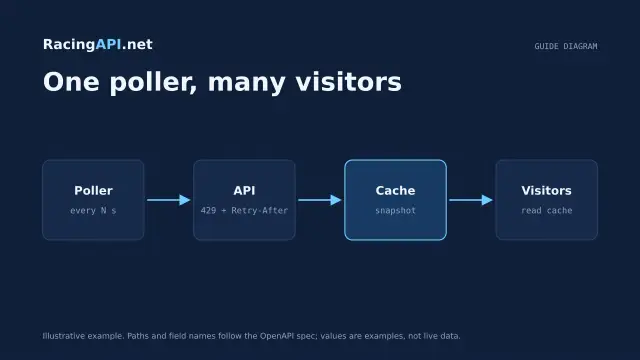 Development
Horse racing API caching and rate limits
Plan shared caching and backoff around RacingAPI.net so workers stay within one calendar-month budget and one per-second limit without noisy polling or duplicate calls.
 Development
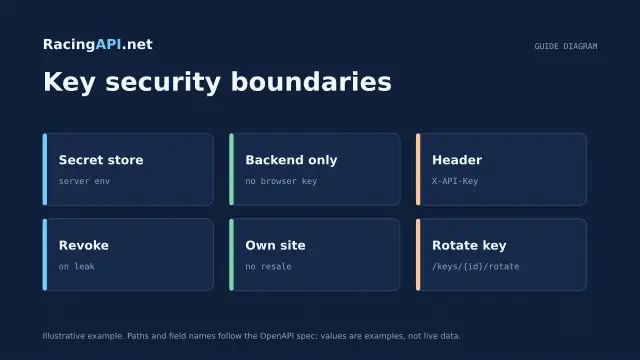
Horse racing API licensing and API-key security
Practical licensing and security guidance for RacingAPI.net: own-site display, no resale, server-side X-API-Key use, rotation, revocation and safe storage.
 Development
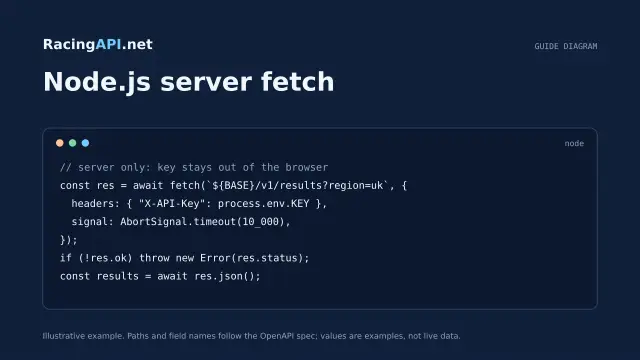
Horse racing API with JavaScript and Node.js
Build a secure Node.js horse racing API integration with server-side fetch, timeout control, schema checks and browser-safe presentation from RacingAPI.net.